Take your next step toward a more intentional, peaceful, and fulfilling relationship.
Every course in the Marriage Academy is designed to guide you through self-discovery, stronger faith, and healthier relationships and enrolling is beautifully simple.
Here is a video guide in enrolling on a course:
Here is a step by step breakdown:
🔐 Step 1: Log In to Your Account
Visit learn.maryamlemu.com and click “
Login” at the top right corner.

Enter your registered email and password to access your dashboard.

✨ New here? You’ll need to create an account first. It’s quick and completely free.
🔍 Step 2: Explore Courses
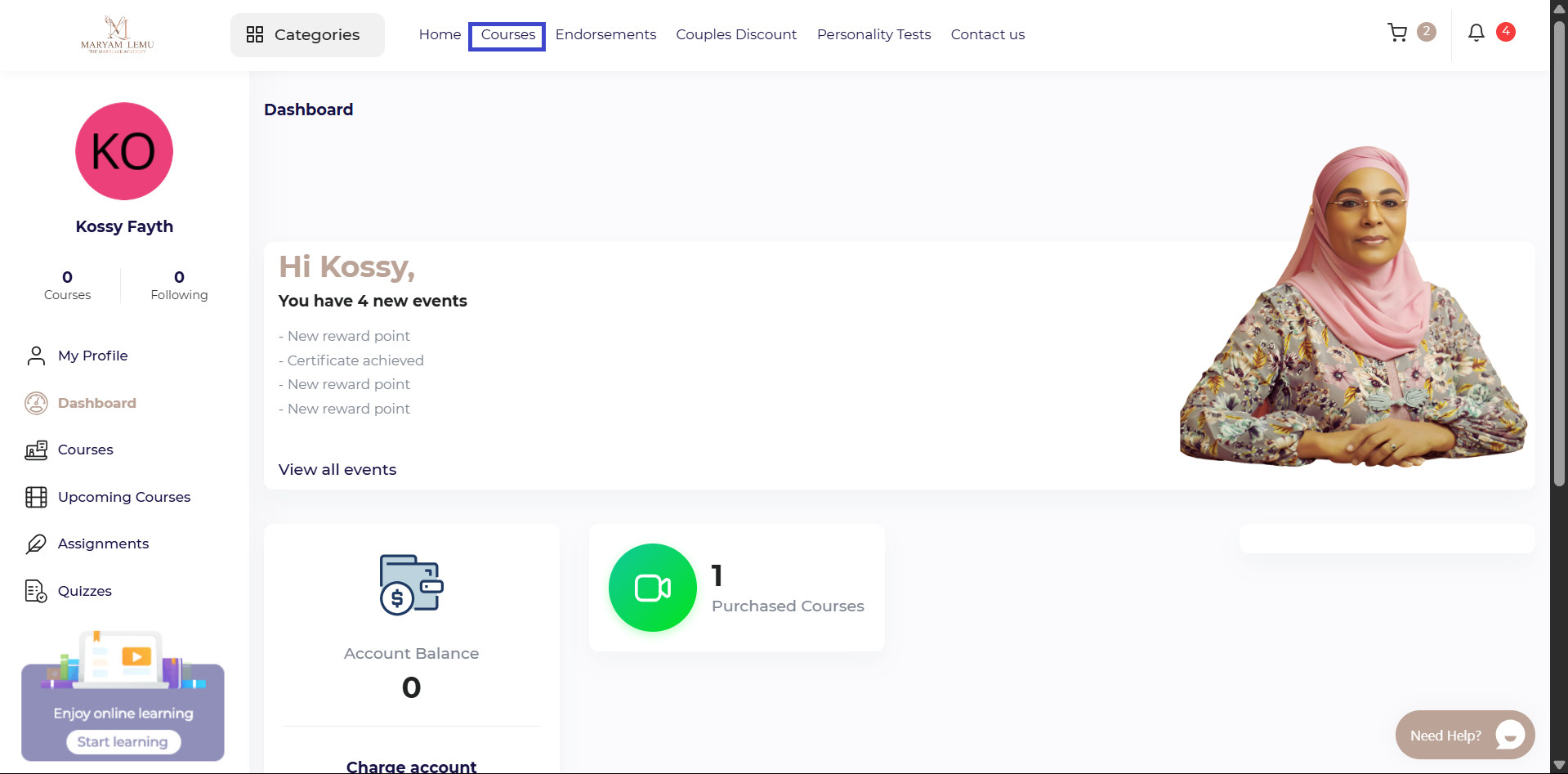
Once logged in, head to the “Courses” tab in your sidebar.
You’ll find a growing library of courses crafted with care — covering emotional intelligence, communication, healing after hardship, and more.
Use filters or search to find what speaks to your heart or supports the season you're in.
📝 Step 3: Learn More About the Course
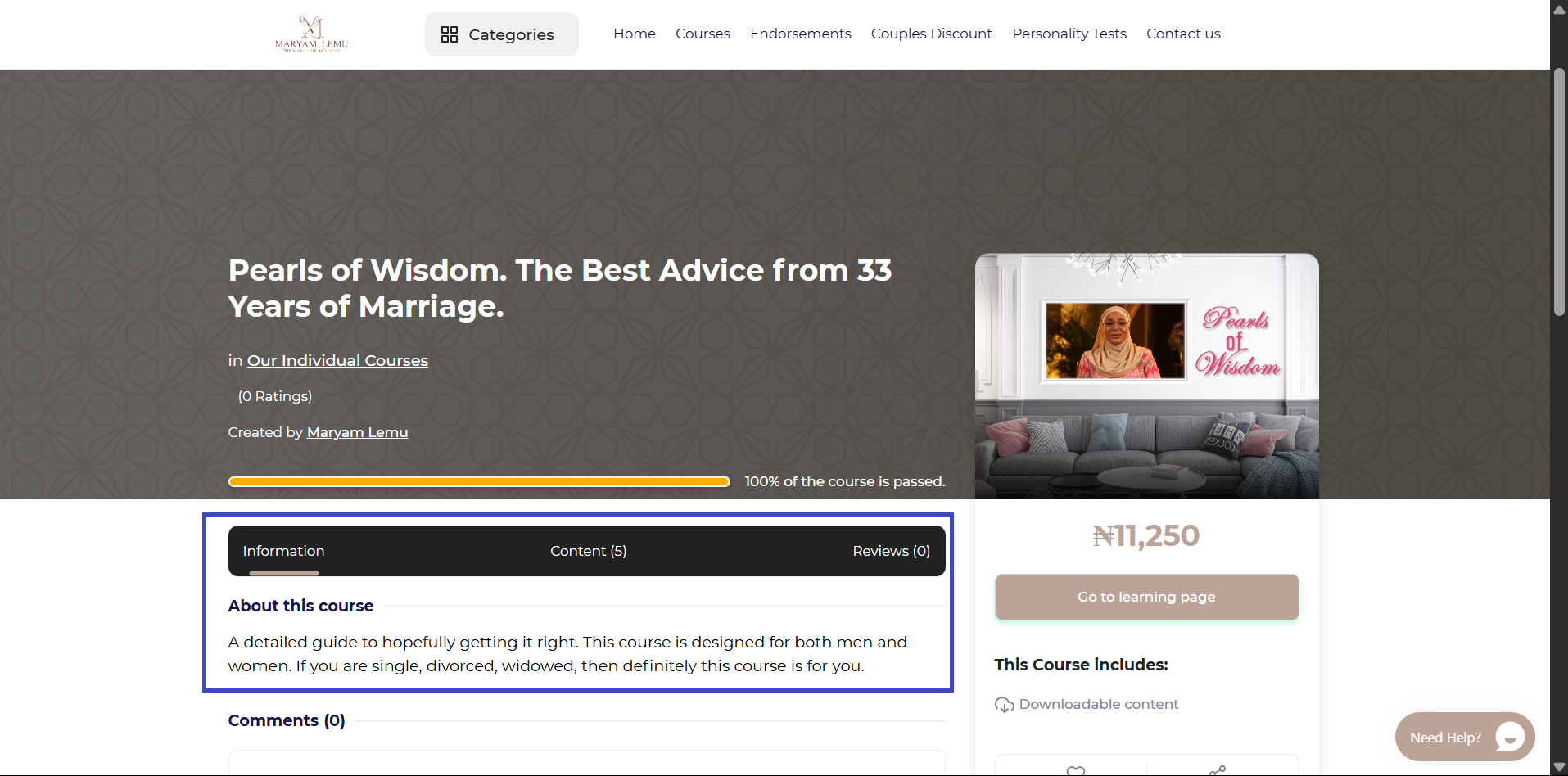
Click on any course to open the details page and discover:
What the course covers
How it can benefit you
Course duration
Any personal reflections or activities included
🎯 Take a moment to reflect. Is this what your heart, marriage, or future self needs right now?
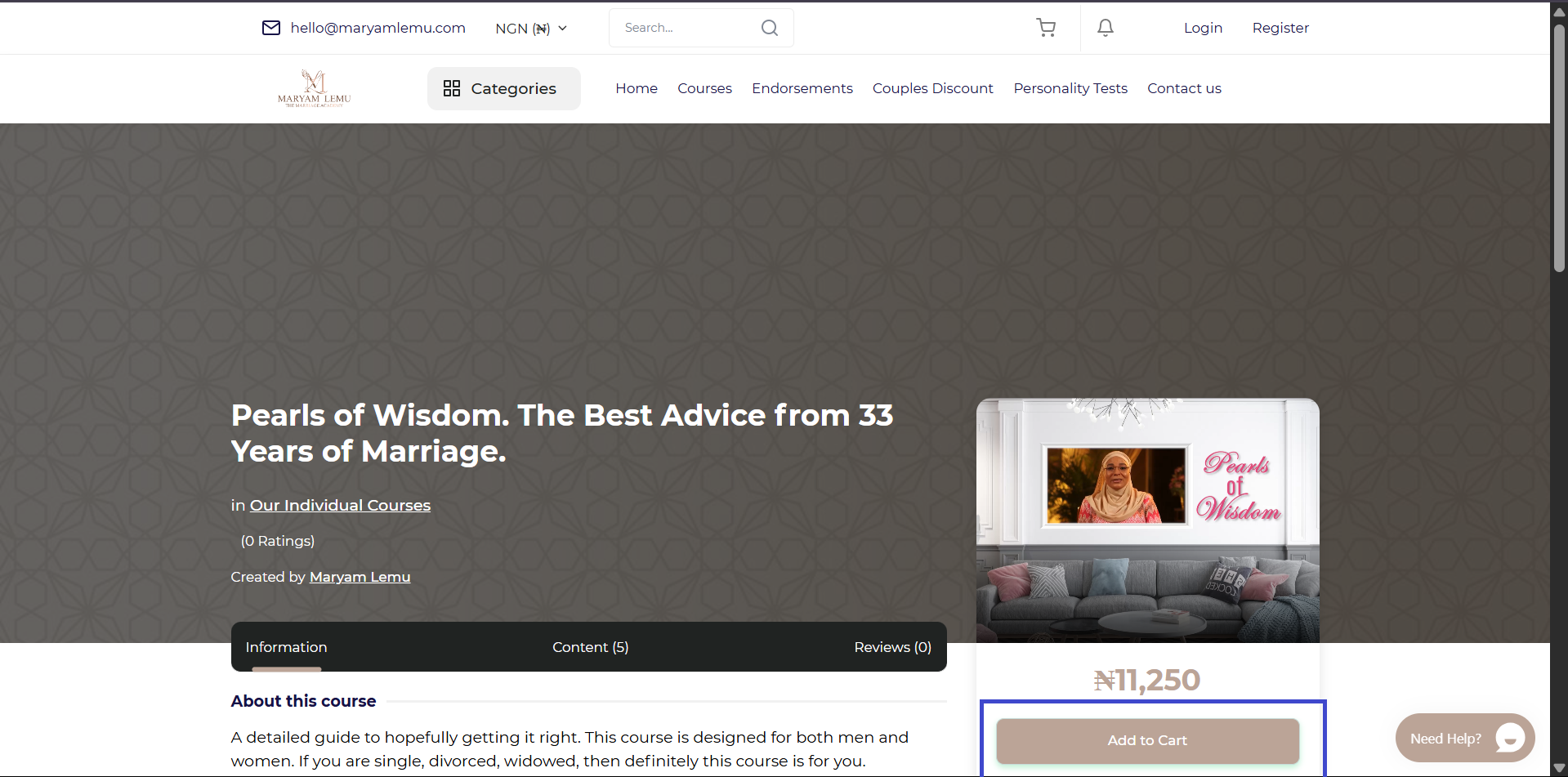
🛒 Step 4: Add to Cart
Once you've decided, click “Add to Cart”.
Continue browsing and adding more courses if you wish — they’ll all be waiting for you in your cart.
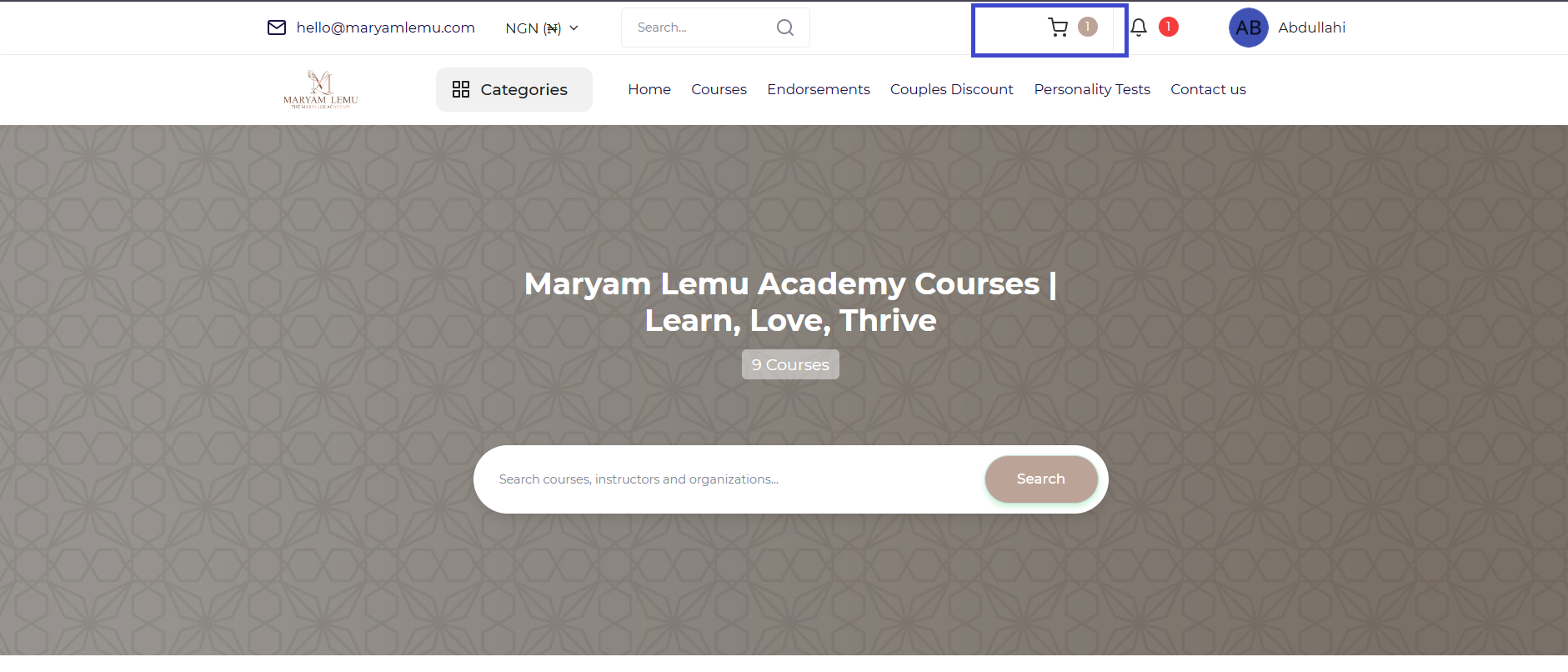
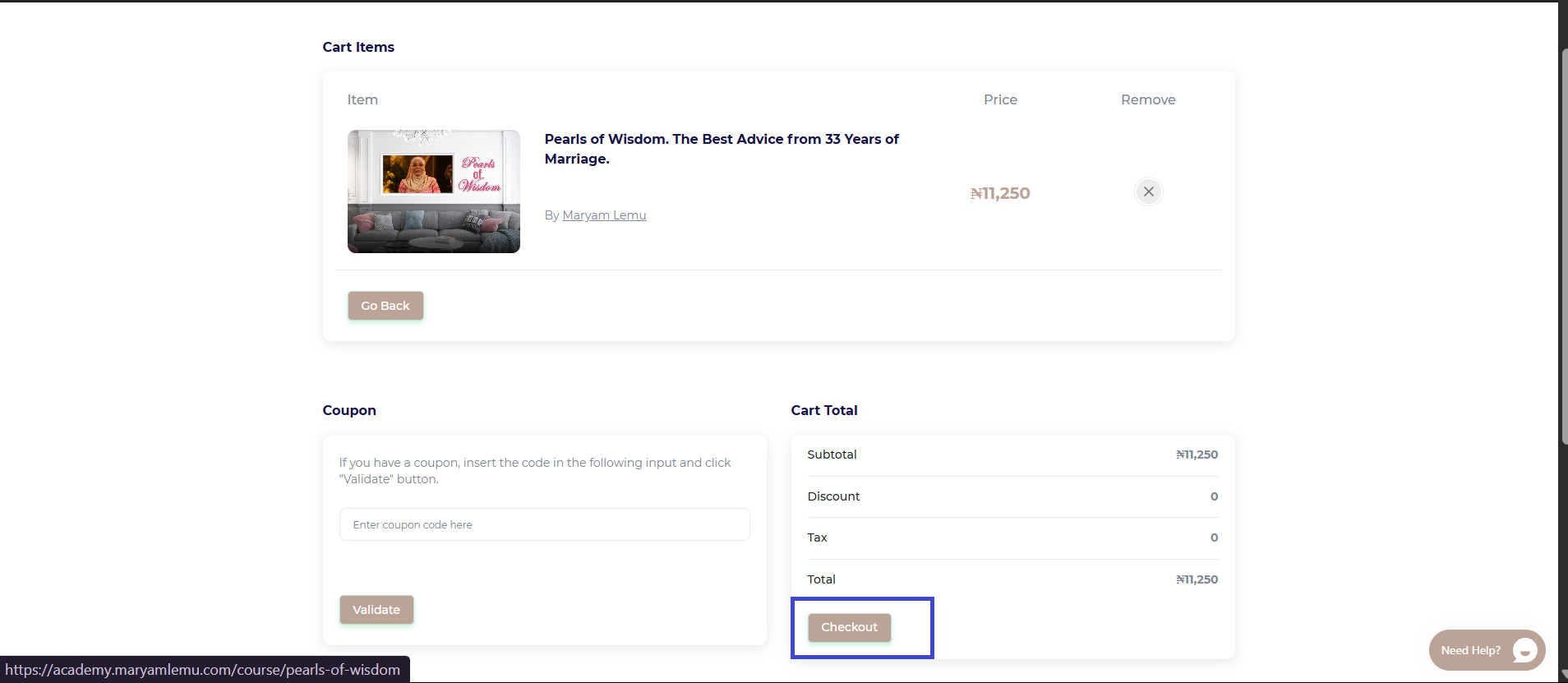
🧾 Step 5: View Cart & Checkout
When you're ready, click “View Cart” (usually at the top right of the page) to review your selections.
Click “Proceed to Checkout” to enter your payment details and finalize your enrollment.
💳
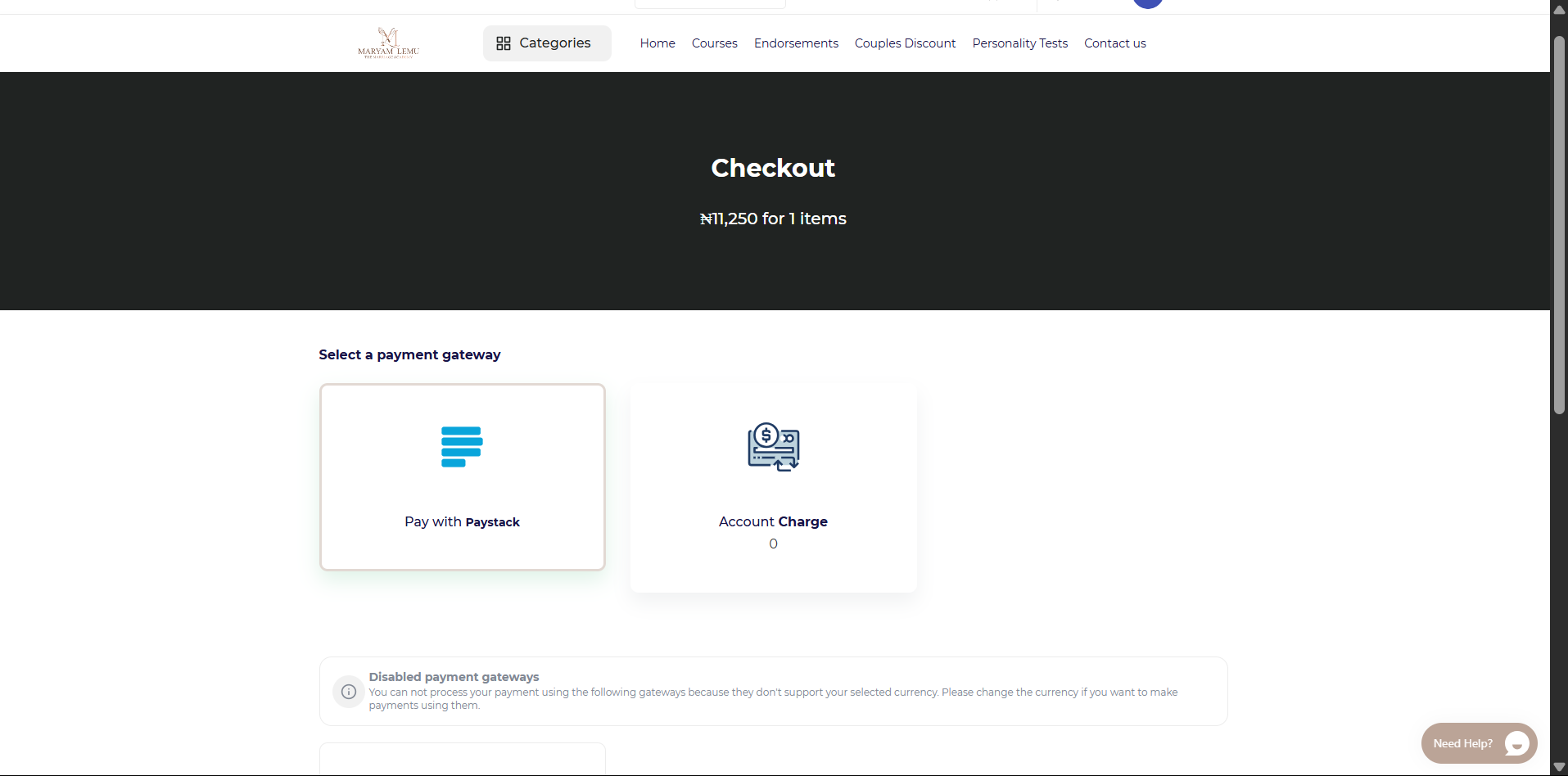
Payment Options:
Paystack – For learners in Nigeria (supports debit cards, bank transfers, USSD)
Stripe – For international learners (supports all major global cards)
🔒 All transactions are secure and your details are protected.
📥 Step 6: Start Learning
Once payment is successful, your courses will appear under “My Courses” in your dashboard.
Click “Go to Learning Page” to begin your journey right away — at your own pace, from anywhere, on any device.
💬 Need Assistance?
If you encounter any issues or have questions: Visit the Support section on your dashboard or email us directly at hello@maryamlemu.com
Here is a short video guide detailing the steps:
Comments (0)

Categories
Recent posts
How to Enroll in a Course on the Academy
9/05/2025
How to access you certificate in the ...
9/05/2025
How to Log In to Maryam Lemu Academy
9/05/2025